

Cara Redeem Kode RedFinger di Android
27/3/2026
Keyword: cloud phone, cloud phone android, cloud phone murah, cloud phone terbaik, cloud phone gaming, android cloud phone, cloud phone untuk gaming tanpa lag, cloud phone android gratis, cloud phone terbaik 2026, cara menggunakan cloud phone, cloud phone untuk auto farming game, cloud phone untuk bisnis online, sewa cloud phone murah Indonesia, cloud phone tanpa root, harga cloud phone, beli cloud phone bulanan, sewa cloud phone terpercaya, cloud phone premium murah, cloud phone unlimited Indonesia, apa itu cloud phone, cara kerja cloud phone, kelebihan dan kekurangan cloud phone, cloud phone vs emulator, apakah cloud phone aman, Redfinger cloud phone, CloudMoon cloud phone, VMOS android virtual, LDCloud cloud phone, bclstore, cuan gaming, ldcloud, ugphone, vsphone, vmos, redfinger, cara redeem, topup game, topup game murah, game cuan, game mobile
Masuk ke akun Redfinger melalui browser kamu.
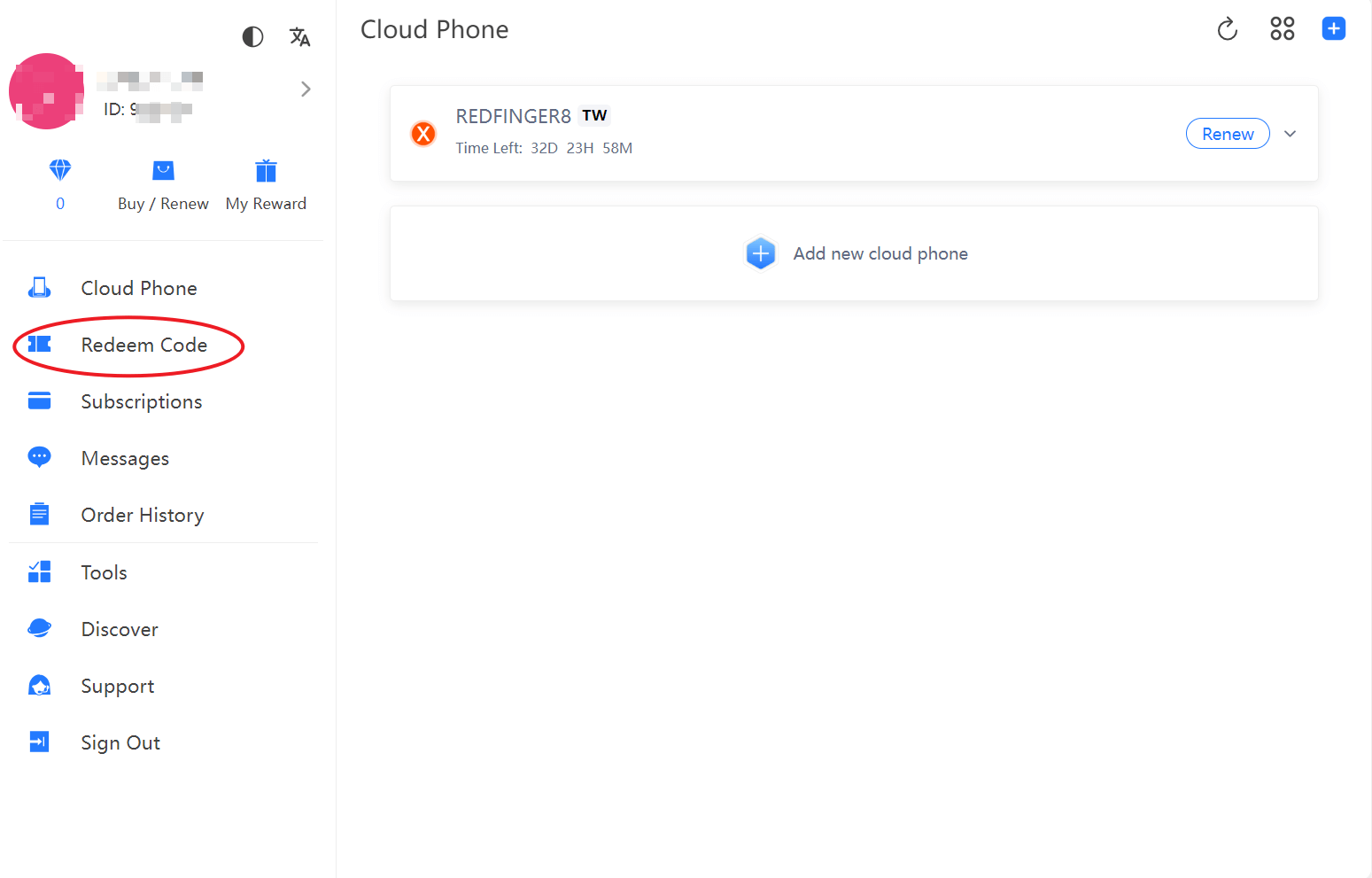
Klik menu Redeem Code di dashboard utama.
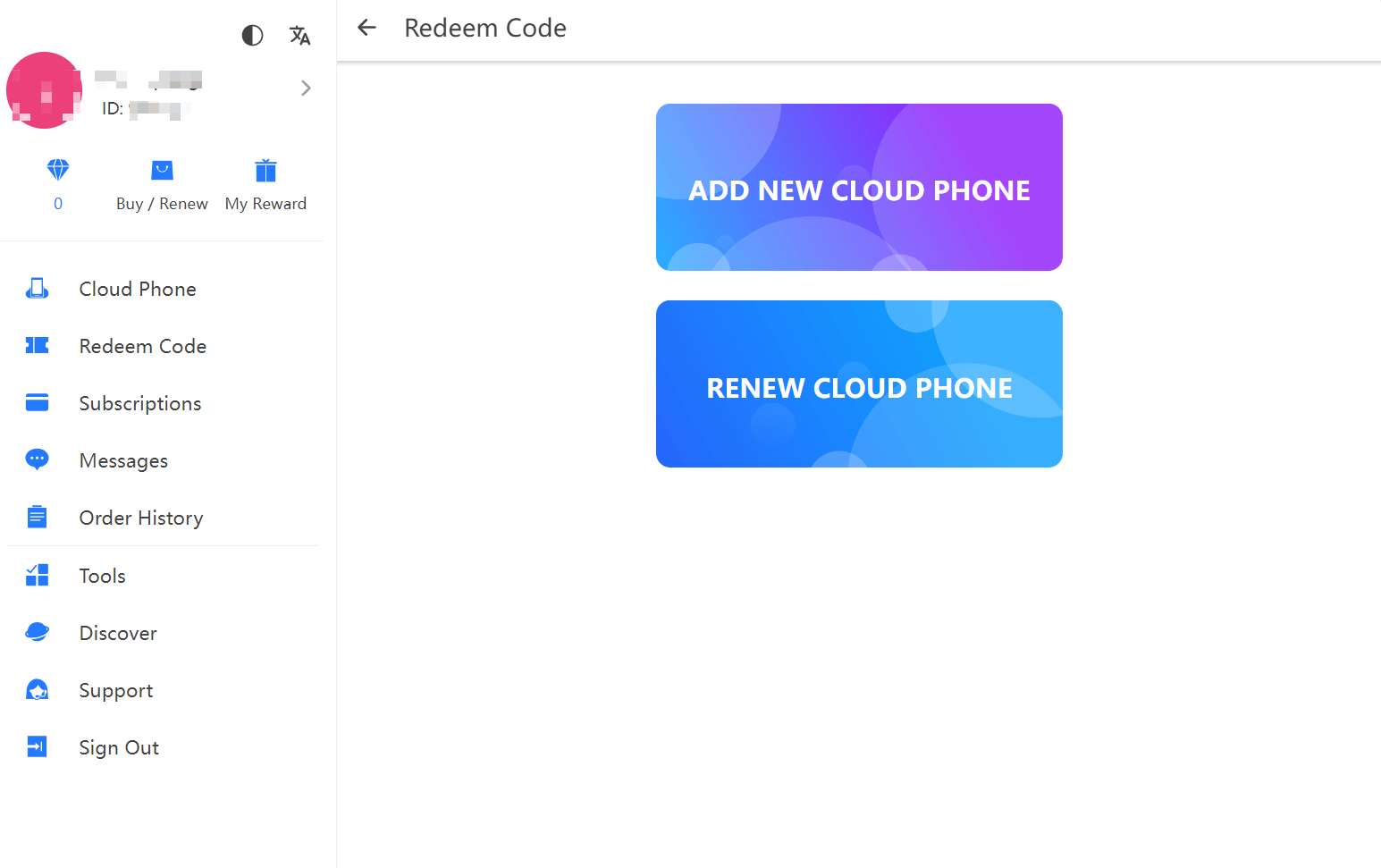
Pilih apakah ingin menambah cloud phone baru atau memperpanjang yang sudah ada.
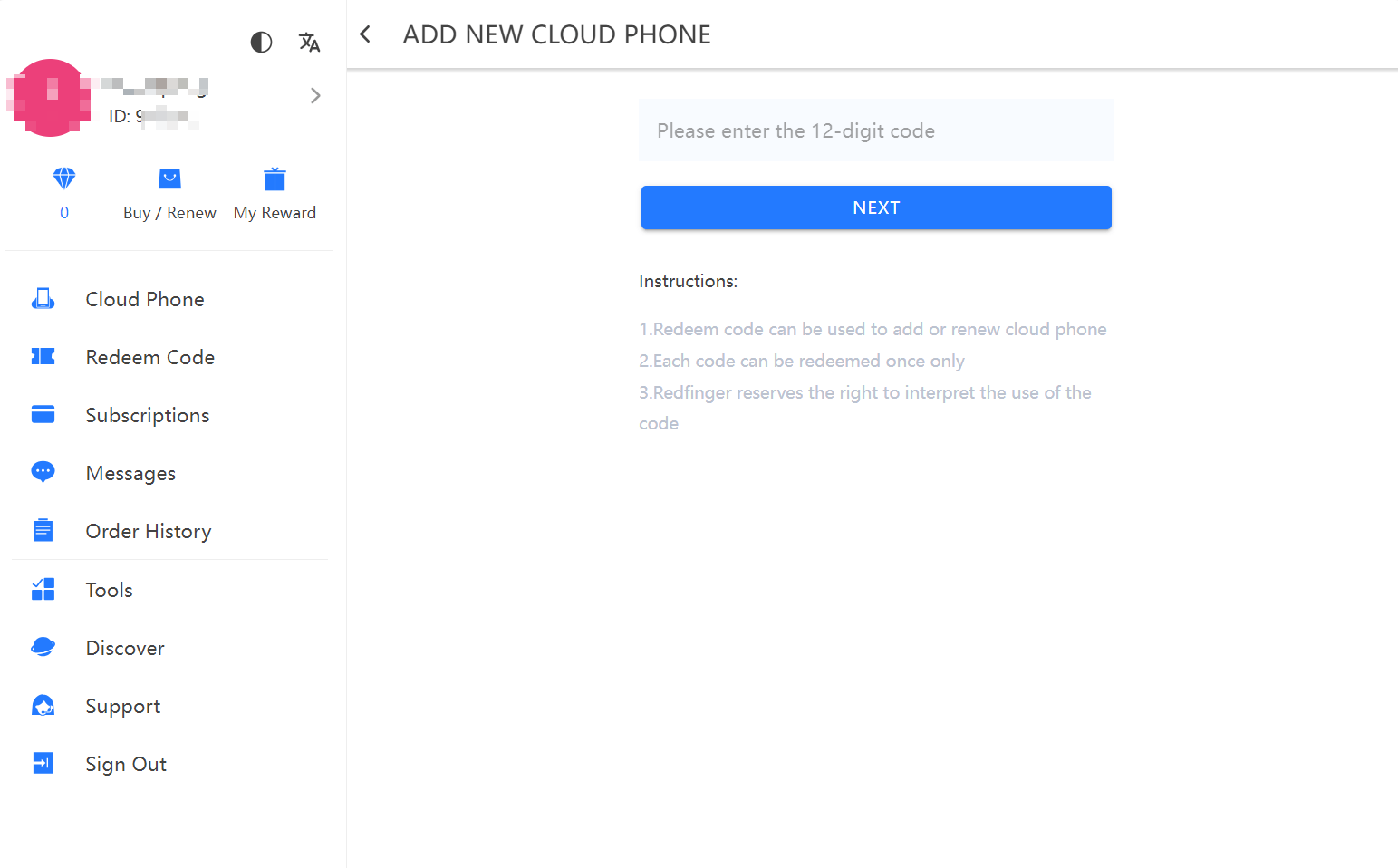
Masukkan kode redeem 12 digit lalu konfirmasi.
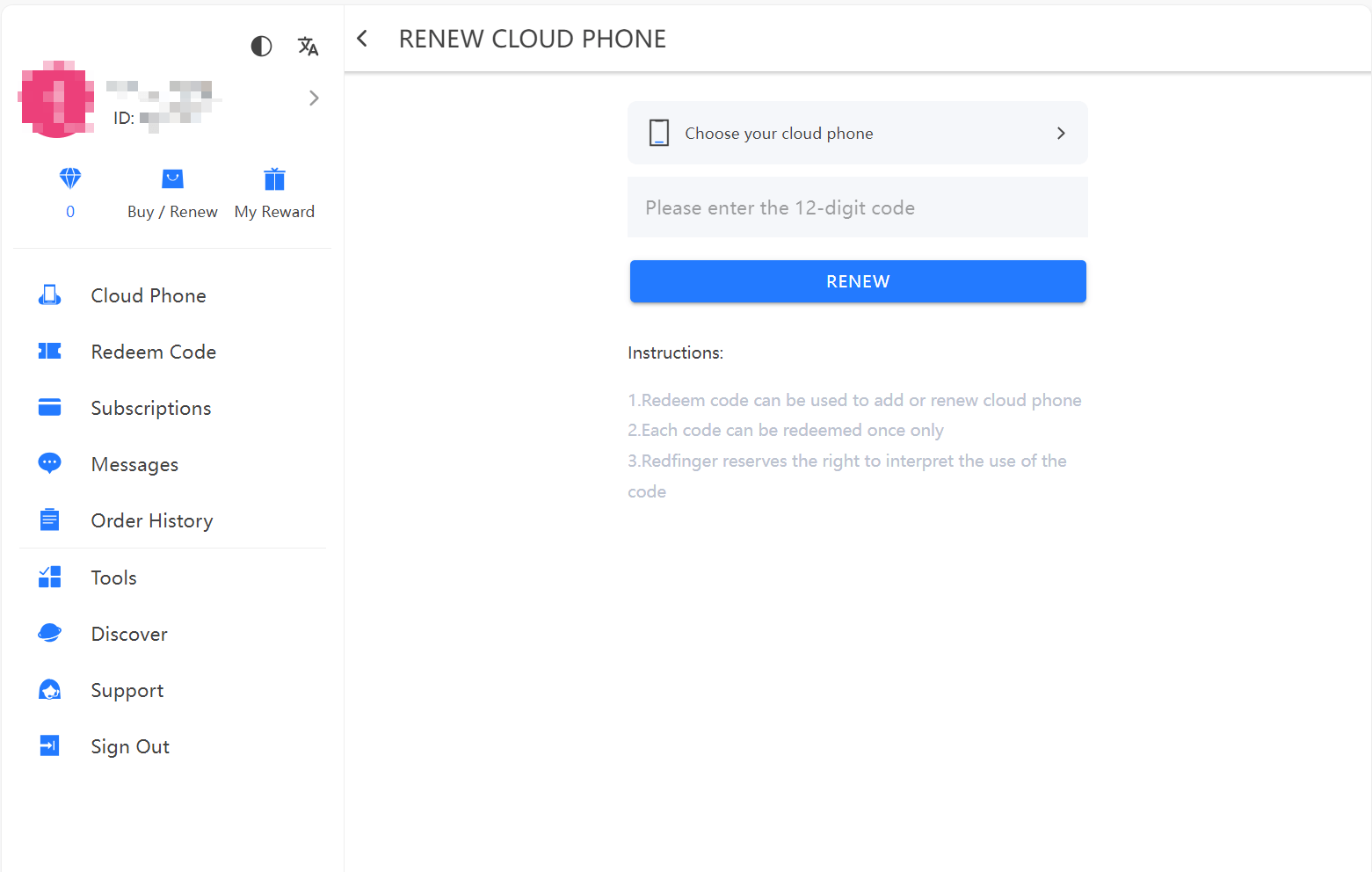
Sebelum menggunakan kode redeem, Anda perlu login terlebih dahulu ke akun Anda untuk mengakses Redfinger Cloud Phone.
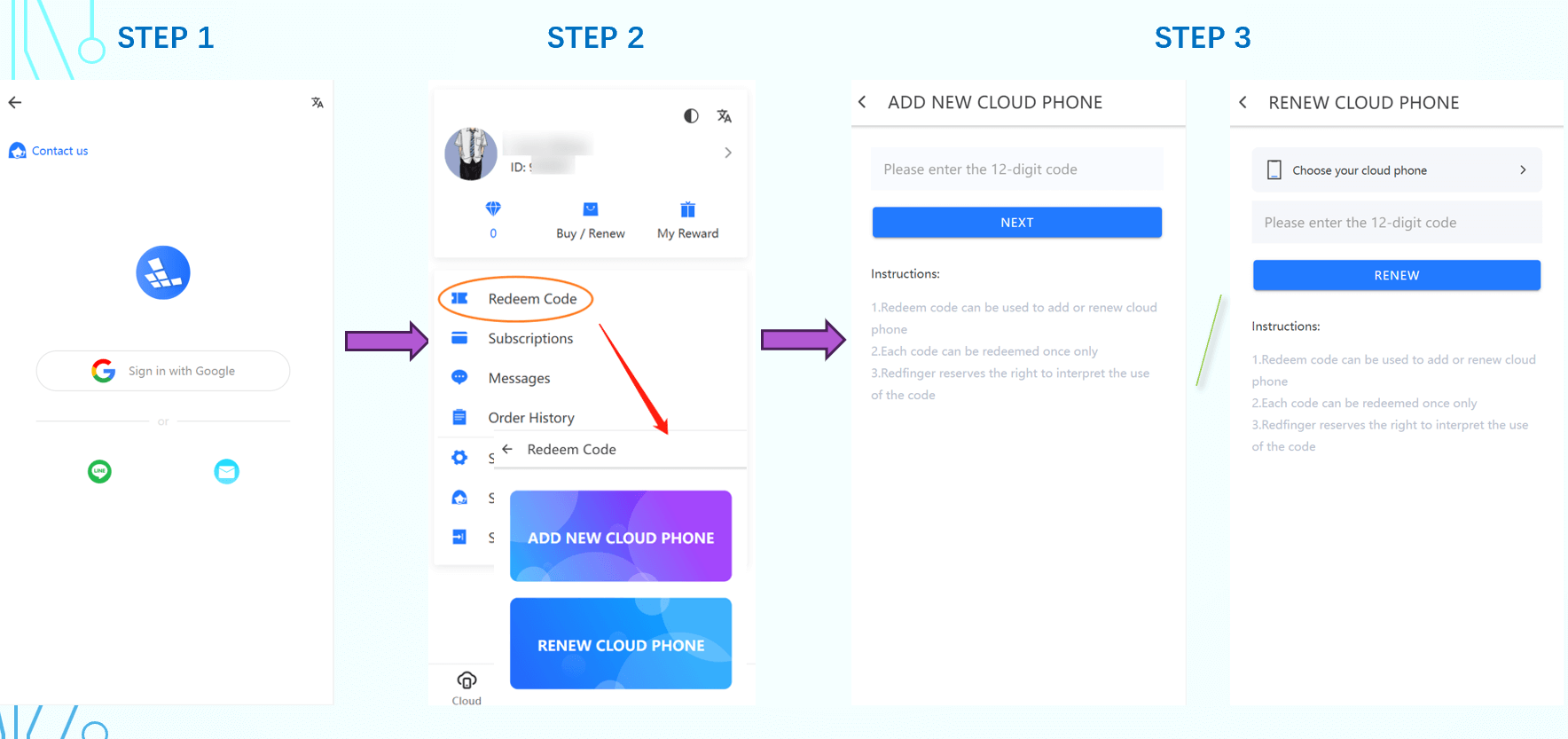
Setelah berhasil login, menu "Kode Redeem" dapat dengan mudah ditemukan di antarmuka. Klik menu tersebut untuk melanjutkan.
Pada bagian "ADD NEW CLOUD PHONE", masukkan kode redeem 12 digit untuk menukar. Jika Anda pengguna baru, Anda hanya dapat memilih opsi ini dan kode hanya bisa digunakan sekali.
Pada bagian "RENEW CLOUD PHONE", pilih cloud phone yang ingin diperpanjang, lalu masukkan kode redeem 12 digit untuk menukar.